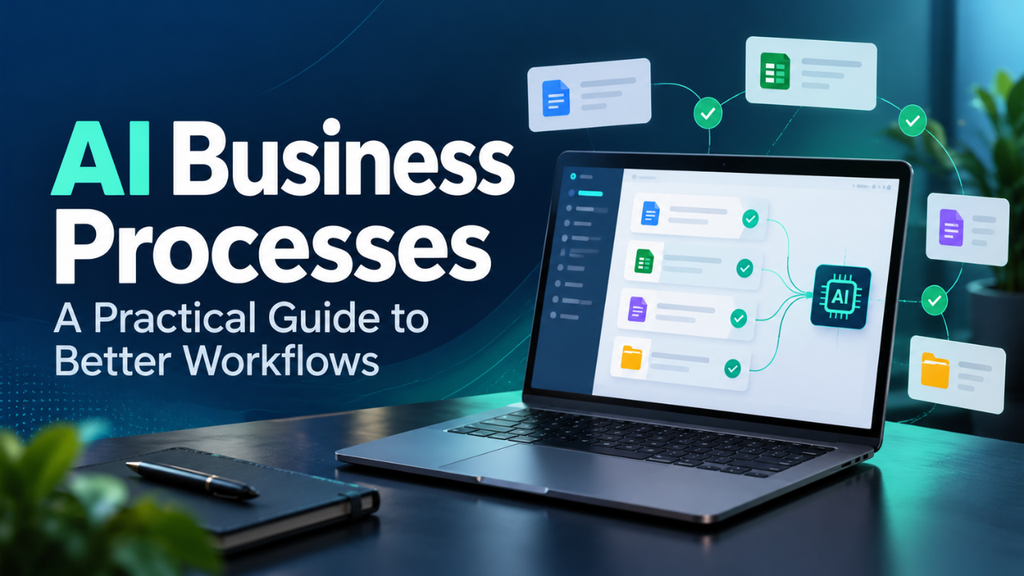
AI Business Processes: A Practical Guide to Better Workflows
A customer asks for an update. Someone searches an inbox, opens a spreadsheet, checks with a colleague, then writes a reply. The answer takes two minutes. Finding it takes twenty.
Small delays like this shape the working day. They leave customers waiting, interrupt useful work, and make a growing business feel harder to manage than it should.
AI business processes can help by handling parts of that routine: sorting requests, pulling details from documents, and making information easier to find. The value comes from choosing a specific problem, building a sensible workflow around it, and checking whether the change actually helps.
Table of Contents
- What AI Business Processes Actually Mean
- Start With a Task That Slows Everyone Down
- Give Customer Requests a Clearer Route
- Take the Repetition Out of Document Handling
- Make Company Knowledge Easier to Find
- Connect the Workflow to Your Existing Tools
- Decide Where Human Approval Belongs
- Run a Small Test and Measure the Whole Job
- Build Around the People Doing the Work
What AI Business Processes Actually Mean
A business process is a series of connected activities carried out to achieve a specific result. Receiving an order, checking availability, arranging delivery, and updating the customer form one familiar example.
Adding AI means using software to interpret information, recognize patterns, or prepare an output within that sequence. It might classify an incoming message or summarize a conversation before the next step begins.
Ordinary automation still has a place. A fixed rule can send a reminder three days before an appointment. AI can be especially helpful when information comes in different forms, such as customers using different words to explain the same delivery issue.
You can combine both approaches. AI identifies the likely reason for a message, then a standard rule assigns it to the appropriate team. A person handles cases that need closer attention.
Start With a Task That Slows Everyone Down
Before choosing any software, take a closer look at how a task is completed from start to finish.
Take a sales enquiry. Where does it arrive? Who reads it? What information gets copied elsewhere? How long does it sit before someone responds?
Ask the person doing the work to walk you through a recent example. You’ll often find the delay in an unexpected place. Perhaps the sales team answers quickly, but every quote needs a price from a spreadsheet that only one manager maintains.
Now you have a useful starting point.
Choose a task that happens often, has a clear outcome, and allows mistakes to be spotted before they cause trouble. Preparing a draft enquiry summary for review could make a reasonable first project.
Also look for simpler fixes. Simply updating a shared pricing list or eliminating an unnecessary approval step could fix the issue right away.
Give Customer Requests a Clearer Route
A busy customer support inbox often contains all kinds of messages, from delivery questions and refund requests to product inquiries and follow-ups from customers who have already reached out more than once.
AI can help classify those messages and prepare summaries so staff can see what needs attention. Customer service is one established use of AI workflows.
Picture a small online shop during a busy week. A customer writes, “The tracking hasn’t moved since Monday, and this is a birthday present.” A proposed workflow could flag a delivery concern and highlight the time pressure for the support agent.
The agent still checks the order and decides what to promise.
Keep the handoff easy. Staff should see the original message, the suggested category, and any relevant order information together. Give customers a straightforward way to reach a person when the situation needs explanation.
Measure successful resolutions as well as response times. A fast response is valuable when it helps the customer get closer to resolving their issue.
Take the Repetition Out of Document Handling
Document-heavy work offers another practical starting point.
Invoices arrive with different layouts, filenames, and levels of detail. Someone has to locate the supplier name, invoice number, date, and total before those details can enter an accounting system.
Document-processing tools can extract common invoice fields. Microsoft’s invoice-processing documentation also notes that unusual layouts or additional fields may require customization.
For a small distributor, a trial workflow might prepare a draft invoice record, attach the original document, and flag missing information. The accounts team checks the record before approval.
Keep extraction and validation separate. Reading a total from an invoice doesn’t establish that the charge matches an agreed order.
Test documents from several suppliers, including awkward scans and unfamiliar formats. Those cases will tell you more about everyday usefulness than a demonstration built around one clean sample.
Make Company Knowledge Easier to Find
Every workplace has questions that keep returning.
Where’s the latest delivery policy? Which terms apply to this customer? Who approves a replacement?
A search assistant connected to company documents can help employees locate relevant information and prepare answers. AI workflows already support this kind of knowledge management.
The preparation matters. Give important documents an owner, a review date, and a clear status. If two versions of a policy remain active, staff need to know which one applies.
Ask the system to show the source behind an answer so employees can check the wording and date themselves.
Access needs attention too. Microsoft explains that Copilot follows users’ existing access permissions, but also cautions that sharing information too broadly can create security risks. Review permissions before connecting an assistant to internal files.
An employee looking up delivery guidance should receive information appropriate to their role.
Connect the Workflow to Your Existing Tools
A useful result needs somewhere to go.
Suppose a tool extracts details from a customer enquiry. When sales staff still have to transfer details into the customer database by hand, the workflow is not yet fully automated.
Map the destination before building the workflow. Decide which record should change, which fields are required, and who should receive the next task.
Look at failure cases as well. What happens if the database is unavailable? Could a retry create the same enquiry twice? Where will someone see a failed update?
For an initial project, you might send proposed changes to a review queue. This lets the team inspect the results before allowing automatic updates.
Keep a record of what happened at each step. When an enquiry goes missing, that history should help someone find and fix the problem quickly.
Decide Where Human Approval Belongs
Different actions deserve different levels of review.
Preparing an internal summary carries different consequences from issuing a refund or promising a delivery date. Set approval requirements according to the effect a mistake could have.
NIST’s AI Risk Management Framework calls for documented human oversight and clear responsibilities.
Turn that principle into everyday instructions. Specify who reviews an unusual request, what information they need, and how they can correct or stop an action.
For example, a support workflow might prepare a suggested response for an agent. The agent checks the order details and approves any promise before sending it.
Make room for uncertainty. When key information is missing, the workflow should ask for help or route the case for review.
A reviewer needs enough context to exercise judgment. Showing the source material alongside a recommendation makes that responsibility more workable.
Run a Small Test and Measure the Whole Job
Choose one team and one task for the first trial. Set a period that gives you enough cases to see both routine work and exceptions.
Record the current process first. Measure handling time, waiting time, corrections, and cases that need extra attention.
Then compare the proposed workflow against that baseline, including the time employees spend checking its output.
Here’s a hypothetical example. An invoice currently takes eight minutes to enter and verify. Extraction reduces entry work to one minute, but checking takes three more. The saving is four minutes per invoice. That’s useful information for deciding whether the setup and running costs make sense.
Track quality alongside speed. Watch for missing fields, incorrect routing, duplicate records, and complaints. NIST’s measurement guidance supports comparison with manual baselines and continued monitoring of errors and user feedback.
Agree on what would justify continuing, changing, or stopping the trial. Clear criteria make it easier to judge the results without getting carried away by a few impressive examples.
Build Around the People Doing the Work
The people handling enquiries, invoices, and approvals know where the process becomes difficult. Include them while you’re designing it.
Ask them to bring awkward examples: the customer who replies across three email threads, the supplier who uses an unusual invoice layout, or the order that changes halfway through.
Training should cover the actual decisions employees will make. Show them how to check a result, correct a mistake, report a problem, and continue working when the system is unavailable.
Assign someone to maintain the process after launch. Customer needs, document formats, and internal policies change. Set aside time to review whether the workflow still serves its purpose.
AI business processes become valuable when they remove a recurring obstacle and leave the team with work it can manage confidently. Start with one clear problem, test the complete task, and use the results to guide your next move.






1 thought on “AI Business Processes: A Practical Guide to Better Workflows”