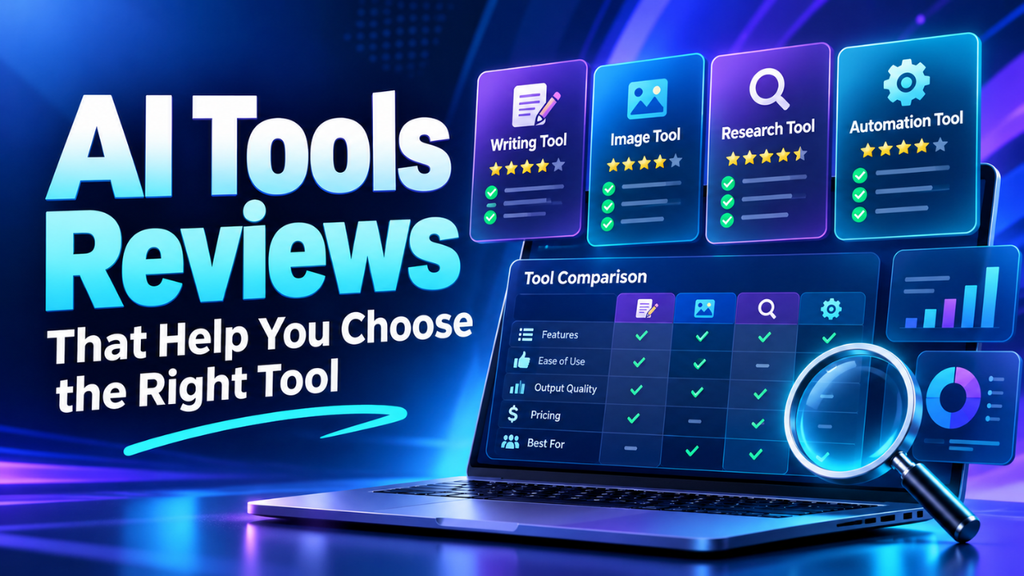
AI Tools Reviews That Help You Choose the Right Tool
An impressive demo can make almost any tool look useful. The screen is clean, the result appears in seconds, and suddenly that monthly subscription feels easy to justify.
Then you try it with your own work.
The summary misses a key detail. The file won’t upload. Or the task finishes quickly, but fixing the result takes longer than doing it yourself.
That’s why useful AI tool reviews need to look beyond features. They should help you understand what works, where things get messy, and whether the tool suits your everyday needs. A good review gives you enough evidence to make a sensible choice without spending your weekend testing everything.
Table of Contents
- What a Useful Review Should Tell You
- Start With the Job You Need Done
- Look Closely at the Results
- Count the Time You Spend Fixing Things
- Check How It Feels to Use
- Read the Pricing Beyond the Headline
- Give Privacy a Proper Look
- See How It Fits Your Existing Work
- Run a Small Test Before You Commit
- Choose the Tool You’ll Keep Using
What a Useful Review Should Tell You
A useful review explains what the reviewer tested and what happened. That sounds obvious, yet plenty of reviews describe a product without showing whether it handles real work well.
Look for a clear example. What went into the tool? What came back? Did the reviewer need several attempts to get something usable?
The plan matters too. Someone testing an expensive business account may have access to features missing from the free version you intend to use. The review should make that difference clear.
I find specific criticism more helpful than a perfect score. “It missed two speakers in a noisy recording” tells you something. “Excellent meeting assistant” leaves you guessing.
Check the testing date and any affiliate disclosure. A commission doesn’t automatically make a review unreliable, but you should know about it before weighing the recommendation.
Start With the Job You Need Done
Before comparing tools, name the task you’re trying to improve.
Maybe you need meeting notes that capture decisions. Perhaps you want to remove image backgrounds or turn a large spreadsheet into a clear overview. Each job needs a different kind of test.
A shop owner preparing product photos doesn’t need the same features as someone sorting customer messages. A tool can perform brilliantly for one person and still be a poor fit for another.
Write down one ordinary problem in plain language: “I spend too long finding action items in meeting recordings.”
Now you have something useful to judge. Reviews about that exact task deserve more attention than broad rankings based on dozens of features you’ll never touch.
Look Closely at the Results
A tidy result can hide a serious mistake.
Picture a meeting summary that reads smoothly but assigns a deadline to the wrong person. It looks finished. It isn’t ready to send.
Microsoft’s Copilot guidance warns that responses can sound convincing while being incomplete or inaccurate, and recommends checking facts and sources before acting on them.
A worthwhile review should examine those details. For a transcription tool, that might mean names, numbers, and speaker labels. For image editing, look at hair, edges, shadows, and small objects in the background.
Language coverage deserves attention as well. If you regularly work in Urdu and English, a review based only on clear English recordings leaves an important gap.
The question is whether the result holds up under the conditions you’ll actually give it.
Count the Time You Spend Fixing Things
Speed claims rarely tell the whole story.
Imagine a task normally takes 30 minutes. A tool produces a result in two minutes, but you spend another 18 checking and correcting it. You’ve saved ten minutes. That’s still useful, though the benefit is smaller than the demo suggests.
Include preparation time too. Uploading files, adjusting settings, explaining the task, and moving the result elsewhere all count.
This is where a detailed review earns its place. It should describe the work left after the first result appears.
For a task you repeat daily, a modest saving can add up. For something you do twice a year, learning another app may offer little value. Judge the effort against your own schedule.
Check How It Feels to Use
Let’s be honest: you probably won’t keep using a tool that frustrates you every time you open it.
A simple interface helps, but the small interactions often matter more. Can you find yesterday’s work? Correct a mistake without starting again? Export a file without searching through settings?
A reviewer who follows a task from beginning to end can answer those questions. Screenshots of the home screen can’t.
Think about the device you’ll use, too. A tool that feels comfortable on a large monitor may be awkward on a phone.
For a team, the learning curve spreads across several people. If one person understands the tool while everyone else keeps asking for help, that support effort belongs in the decision.
Read the Pricing Beyond the Headline
The monthly price is only a starting point.
Check what the plan actually includes. There may be limits on requests, recording minutes, file sizes, exports, or access to particular features. Grammarly’s plan comparison, for example, distinguishes unlimited suggestions from monthly allowances for generative prompts.
A review should explain which limit matters for the tested task. A generous allowance for occasional use may feel tight if several people rely on it every day.
Look at billing terms before signing up. A displayed monthly rate may require an annual payment, and a free trial may renew automatically.
Use your expected workload to judge the cost. If you need a tool for ten short recordings a month, paying for hundreds of hours makes little sense.
Give Privacy a Proper Look
Privacy matters as soon as you upload information belonging to someone else.
A public product photo and a private client report need different treatment. Before using real work, check what the service stores, how deletion works, and whether uploaded material can be used for model training.
Read the policy for the exact account you plan to use. Anthropic’s commercial policy, for example, excludes inputs and outputs from training by default while allowing exceptions for feedback or explicit opt-in. It directs consumer users to separate guidance.
A review should point you toward those terms and explain relevant settings. A vague claim that a product is “secure” doesn’t tell you enough.
For an initial test, use invented customer details or a file without sensitive information. You can judge basic performance without handing over private records.
See How It Fits Your Existing Work
A tool may perform its main task well and still create extra work around it.
Suppose it extracts action items from a meeting, but your team manages tasks elsewhere. If someone must copy every item manually, part of the promised saving disappears.
Check the full path from input to finished work. Can the tool accept your files and export something your existing apps can use?
Treat integration claims carefully. “Works with your calendar” might mean it can join meetings. It may not mean it can update events or share notes in the way you expect.
A useful review describes that connection precisely. It should also mention whether setting it up requires a paid plan, special permissions, or help from an administrator.
Run a Small Test Before You Commit
Reviews can narrow your options, but your own work provides the final check.
Choose two promising tools and give each the same task. Keep the files, instructions, and expected result as similar as possible.
Start with something you can verify easily. You might use a short recording with known action items or a spreadsheet whose totals you’ve already checked.
Then try a less tidy example. Add background noise, a longer file, or mixed languages if those conditions are normal for you.
Keep brief notes on quality, time spent correcting errors, and any limit you hit. Repeat the task on another day. One impressive result is encouraging; a tool that performs well repeatedly is easier to rely on.
Choose the Tool You’ll Keep Using
There’s no single best tool for every person or every job.
The most useful choice is one that handles a task you care about, leaves a manageable amount of checking, and fits your budget and routine. Extra features matter when they solve an actual problem.
Before you commit, ask yourself whether you’d reach for the tool during a busy week. That question often tells you more than a long feature comparison.
Good AI tool reviews help you make that judgment with clear examples and honest limits. Use them to build a short list, test the options with familiar work, and keep the tool that makes the task easier from start to finish.
visit site for more information. https://techstrategywire.com/





1 thought on “AI Tools Reviews That Help You Choose the Right Tool”