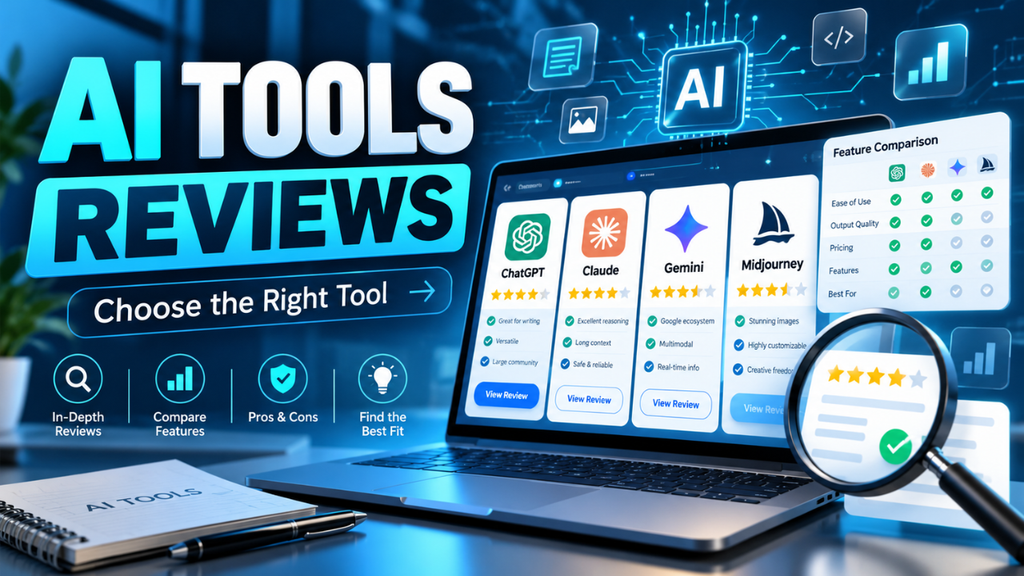
AI Tools Reviews: How to Choose the Right Tool
A tool can look brilliant in a demo and still make your Tuesday afternoon harder. The dashboard is tidy, the results appear quickly, and the sales page promises fewer headaches. Then you try your own files, hit a usage limit, or spend twenty minutes correcting something that looked finished.
That’s why useful AI tools reviews need to go beyond feature lists. They should help you picture what happens when the software meets your actual work.
Whether you run a small business, manage a blog, or support a busy team, the goal is simple: find something that helps enough to justify its cost and the effort of using it.
Table of Contents
- Start With the Job You Need Done
- Look for Evidence Behind the Rating
- Accuracy Matters More Than a Smooth Answer
- Count the Time Spent Fixing Results
- Find Out What the Price Actually Covers
- Read the Data Policy Before Uploading Files
- Choose Something That Works for You
- Run a Small Trial Before You Commit
- Choose What You’ll Still Use Next Month
Start With the Job You Need Done
Before reading another comparison, finish this sentence: “I need help with…”
Be specific. “Being more productive” leaves you open to almost any sales pitch. “Creating clear, accurate follow-up notes from recorded customer calls gives you a specific task to assess.
Picture a shop owner who spends an hour sorting customer messages every evening. A tool that identifies common questions and prepares suggested replies might help. A sophisticated image generator could be excellent software, yet have little value for that particular problem.
Your priorities should shape how you read a review. Someone handling interviews needs reliable speaker labels. A designer might care more about editing control and export quality. A sales manager may need records to move cleanly into an existing customer database.
Decide what you want to achieve before looking at different features. Otherwise, you can end up buying impressive capabilities while the original problem remains.
Look for Evidence Behind the Rating
A five-star score tells you very little without the work behind it.
Good reviews explain what the reviewer tested, which plan they used, and where the software struggled. They show enough of the input and output for you to judge the result yourself.
For instance, a transcription review becomes more useful when it includes a conversation with interruptions, background noise, and unfamiliar names. One clear speaker reading slowly into a microphone tells you less about a busy meeting.
Look for dates, too. Check the vendor’s current documentation before relying on an older review for prices, limits, or included features.
Affiliate links don’t automatically make a review worthless. Still, commercial relationships should be disclosed, and praise should come with evidence.
I’d put more trust in a review that explains two frustrating weaknesses than one that treats every feature as a reason to subscribe.
Accuracy Matters More Than a Smooth Answer
An answer can be beautifully presented and still be wrong. Clear formatting makes information easier to read; it doesn’t prove the information is reliable.
If a tool summarizes documents, compare its summary with the originals. Does it preserve dates, exceptions, and important conditions? If it analyzes numbers, check the calculations independently.
NIST’s evaluation guidance recommends assessing whether a system suits its intended purpose and documenting its limitations. For an everyday buyer, that means testing the work you actually expect it to handle.
Suppose a meeting includes this statement: “We can launch Friday, provided the client approves the revised budget.” A summary that says “Launch confirmed for Friday” has lost the condition that matters.
Reviews should make those mistakes visible. Watch what happens when information is missing or unclear, too. Does the tool acknowledge uncertainty, ask for clarification, or produce a confident guess?
The answer helps you decide how much checking the output will need.
Count the Time Spent Fixing Results
Speed is easy to demonstrate. Useful time savings take more care to measure.
Imagine a task normally takes thirty minutes. A tool produces a result in two minutes, but you spend another twenty-five correcting it. You’ve saved three minutes before counting the time needed to prepare the input.
That might still help, although it’s a much smaller benefit than the initial speed suggests.
A practical review should consider the whole task: preparing files, giving instructions, checking results, making corrections, and moving the finished work somewhere useful.
Notice repeated annoyances. Reformatting every export or correcting the same mistake each day can become tiring.
During a trial, measure the time from starting the task to having something you can actually use. Compare that with your usual method. It’s a fairer test than timing the first response.
Find Out What the Price Actually Covers
The monthly price deserves attention, but the limits behind it often decide whether a tool makes sense.
Check how usage is counted. Look for restrictions on requests, processed minutes, file sizes, exports, or team members. Find out whether the feature praised in a review belongs to the plan you’re considering.
A hypothetical transcription service might cost $15 a month and include five hours of audio. That could suit someone with occasional interviews. A team recording daily meetings would need to calculate a different bill.
Also check whether a displayed monthly rate requires annual payment. The upfront commitment can matter when you’re still testing the software.
Before subscribing, understand renewal, cancellation, and what happens when you reach a limit.
Free plans can help you explore the interface. To judge value, though, test the task at roughly the volume you expect to use.
Read the Data Policy Before Uploading Files
Trying a tool with a public document is straightforward. Uploading client records or an internal meeting introduces questions you should answer first.
Read the policy for the exact product and plan you’ll use. Look for information about storage, retention, deletion, access, and whether your inputs may be used to improve models.
Even within one service, consumer and business offerings can follow different data policies. Anthropic, for example, publishes separate model-training guidance for its consumer products and commercial products.
A review calling software “secure” should explain what supports that description. A vague reassurance won’t tell you whether the service suits your files.
For an initial trial, use public or invented sample material. If you’re buying for a business, check your organization’s requirements before adding sensitive information.
Privacy deserves a place in the buying decision alongside convenience and cost.
Choose Something That Works for You
Software can perform well on its own and still create extra work around it.
Say a tool produces excellent meeting notes, but your team manages tasks elsewhere. If someone must copy every action item manually, you need to include that effort in the decision.
Look closely at integration claims. “Works with your calendar” doesn’t explain whether it imports events, joins meetings, or requires you to trigger each step.
Export matters as well. Check whether you can download useful files, preserve formatting, and retrieve your work if you cancel.
Ease of use should mean more than an attractive homepage. Can a teammate complete a common task without a long explanation? Are errors understandable? Can you undo an unwanted change?
A short trial with the people who’ll use the software can reveal friction that screenshots never show.
Run a Small Trial Before You Commit
Once you’ve narrowed the choice, test two or three candidates on the same small set of tasks. Similar inputs make the differences easier to see.
Choose a normal example, a difficult one, and one with incomplete information. For meeting software, that might mean a clear recording, a noisy discussion, and a call where people change their minds halfway through.
Decide what success looks like before you see the results. You might require correct deadlines, usable exports, and fewer than five minutes of cleanup per recording.
Keep a simple note of the result, correction time, cost at your expected volume, and any problem that would prevent regular use.
Those observations are more useful than an overall score that hides your priorities.
Try the workflow again on another day. One excellent result is encouraging, but you need enough examples to judge consistency. Include the person who usually handles the task; they’ll often spot omissions a casual tester misses.
Choose What You’ll Still Use Next Month
The strongest tool for your situation may have fewer features than its competitors. If it handles your main task well, fits your budget, and feels manageable on a busy day, that can be enough.
Read AI tools reviews to narrow your options, then let a realistic trial guide the final choice. Keep the subscription only if the benefit survives ordinary work: imperfect files, repeated tasks, and limited time to fix mistakes.
A worthwhile tool earns its place when you keep reaching for it because the job gets easier. That’s a better buying signal than a polished demo or a long list of promises.